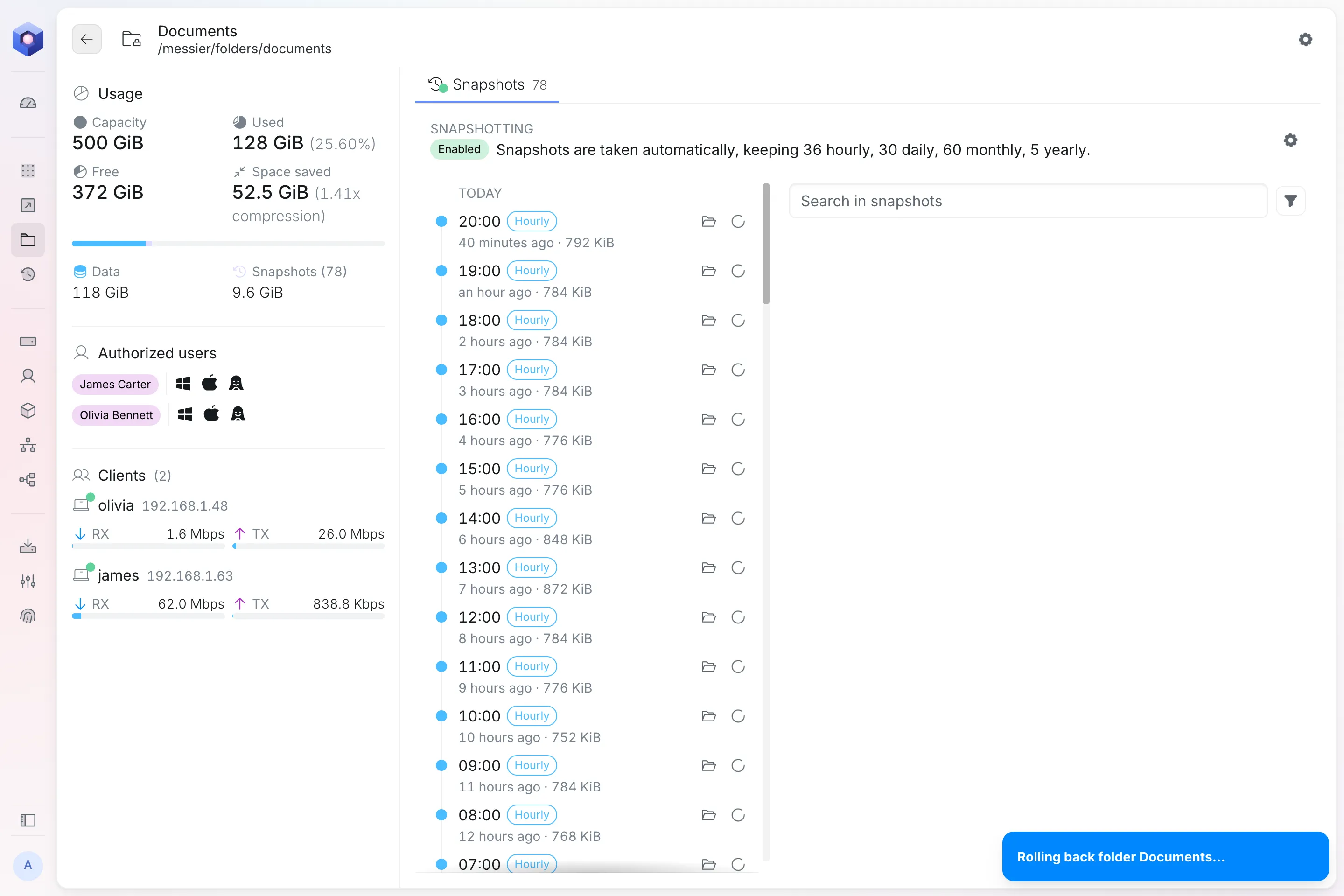
Rolling back
Roll back puts every file in a folder back the way it was at a restore point. Use it when most of the folder is damaged, for example by ransomware or a virus that encrypted or deleted its files. To get back a few files or folders, browse, search and restore them instead, and everything else stays as it is.
Only a folder added as a new share can be rolled back. A folder that shares a Nextcloud user’s files follows Nextcloud’s rollback.
Rolling a folder back
Section titled “Rolling a folder back”Open the folder’s Snapshots and select Roll back next to a restore point. Tick I understand this permanently erases data and this cannot be undone, then select Roll back again.
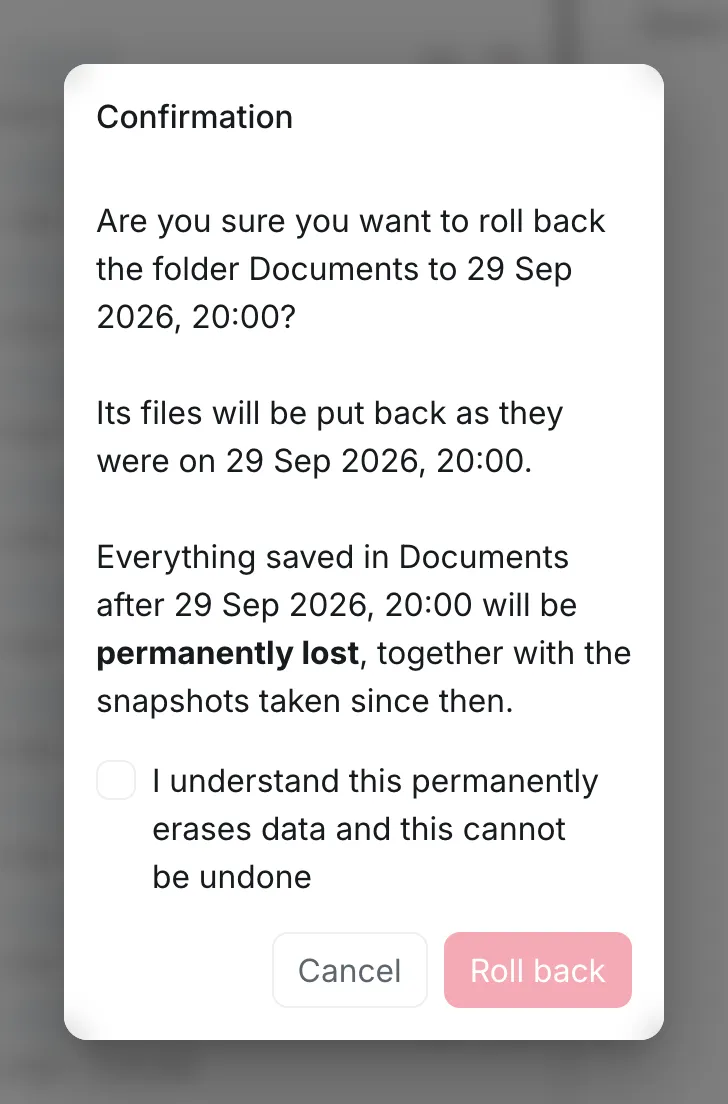
A notification shows when the folder has been rolled back.