
Browsing files
Browse files opens a folder as it was at one restore point.
- Open the folder’s details and select Snapshots.
- Find the restore point on the timeline and select Browse files next to it.
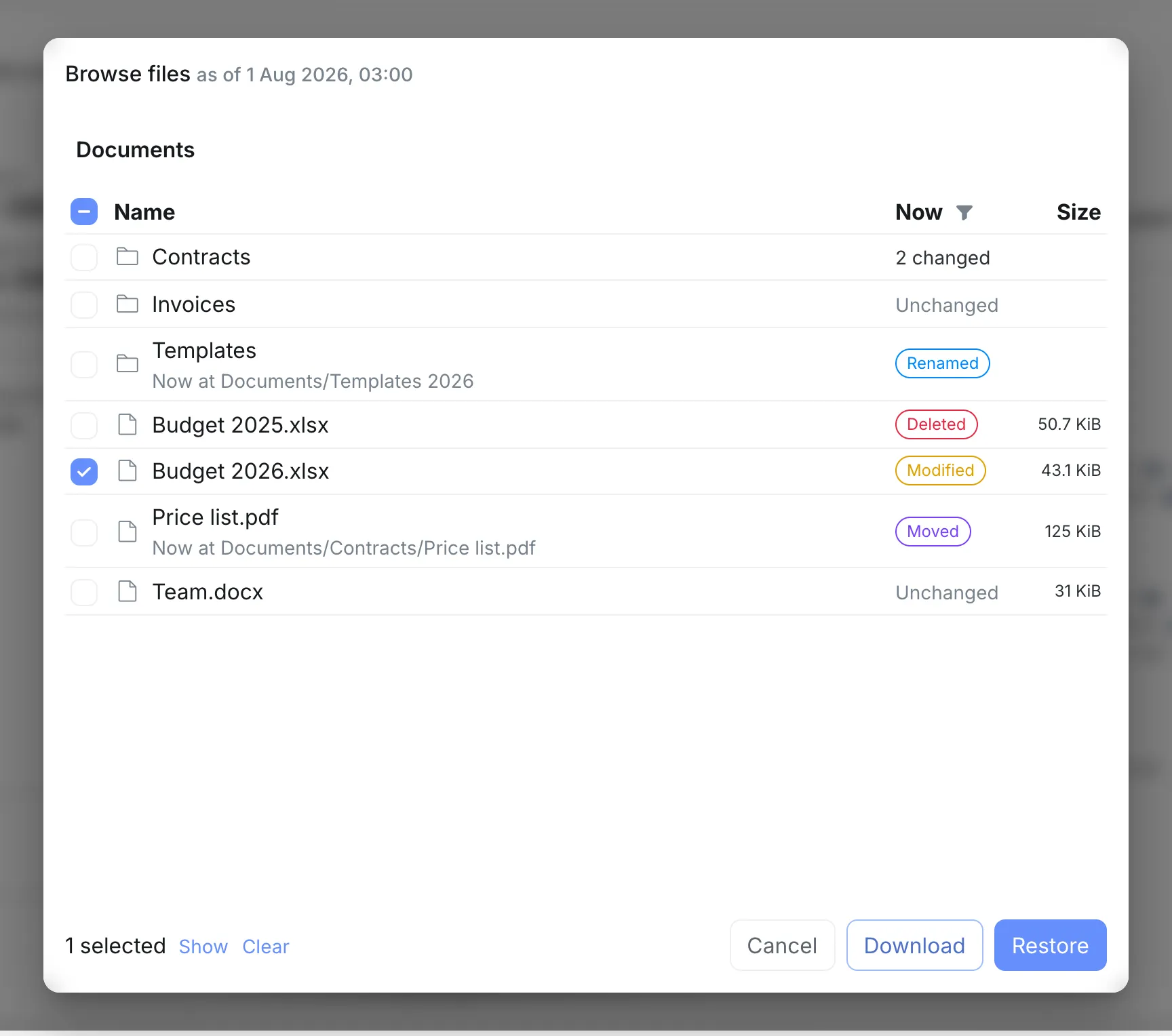
It opens at the folder itself, with its name at the start of the path, and stays inside it. Paths further down, such as where a moved file is now, start with the folder’s name too.
For a Nextcloud user’s folder, that is the user’s own files, with no way up to the other users.
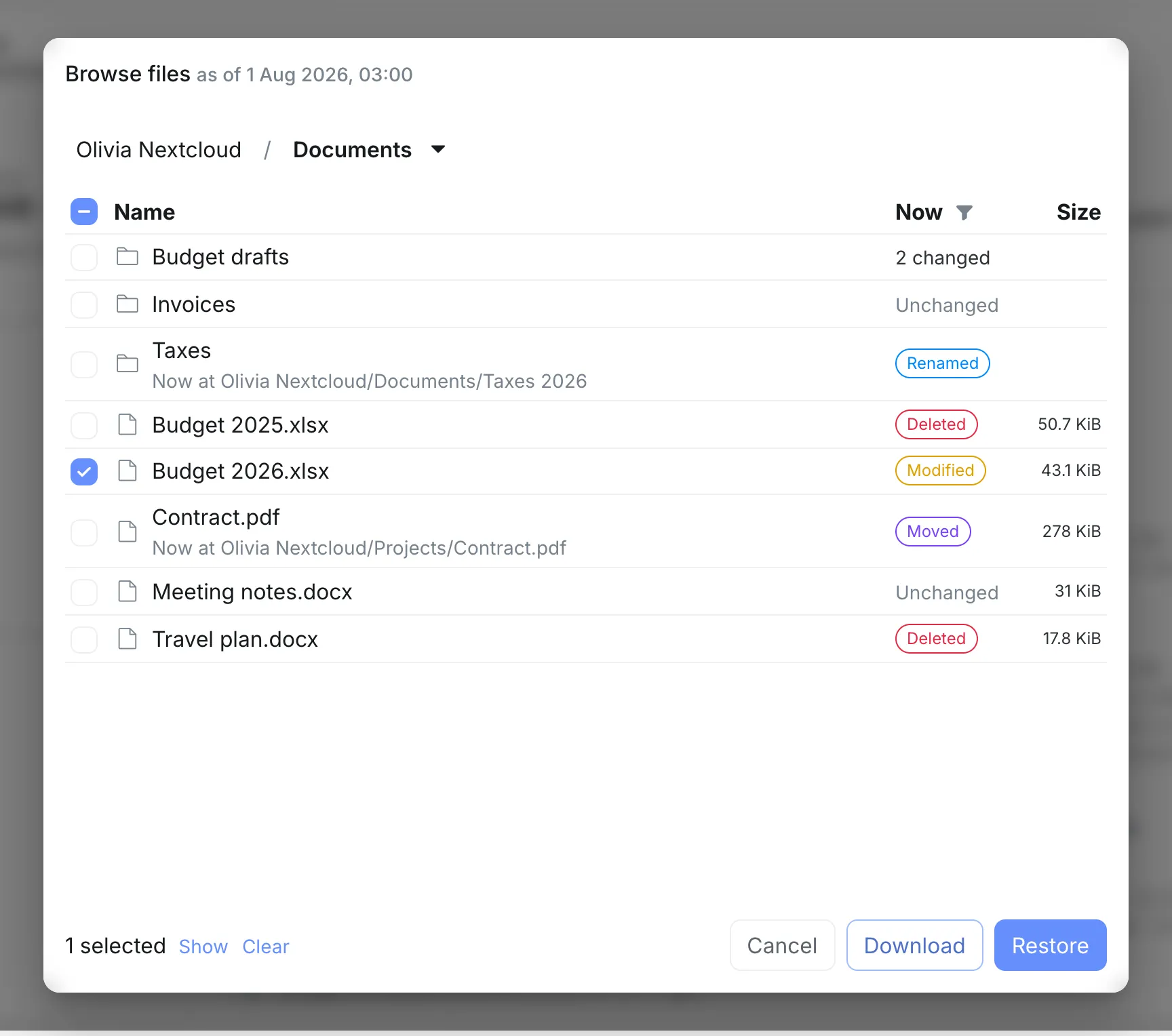
Everything else works as in Nextcloud’s Browse files: the Now column with what changed since, the filter for what changed, selecting files and folders, downloading them and restoring them.